 bakable
AI level & map generator for Roblox Studio.
Give Bakable a setting, a player goal, and the routes that connect the two. Generate a level with terrain and landmarks, then test how it plays in Roblox Studio.
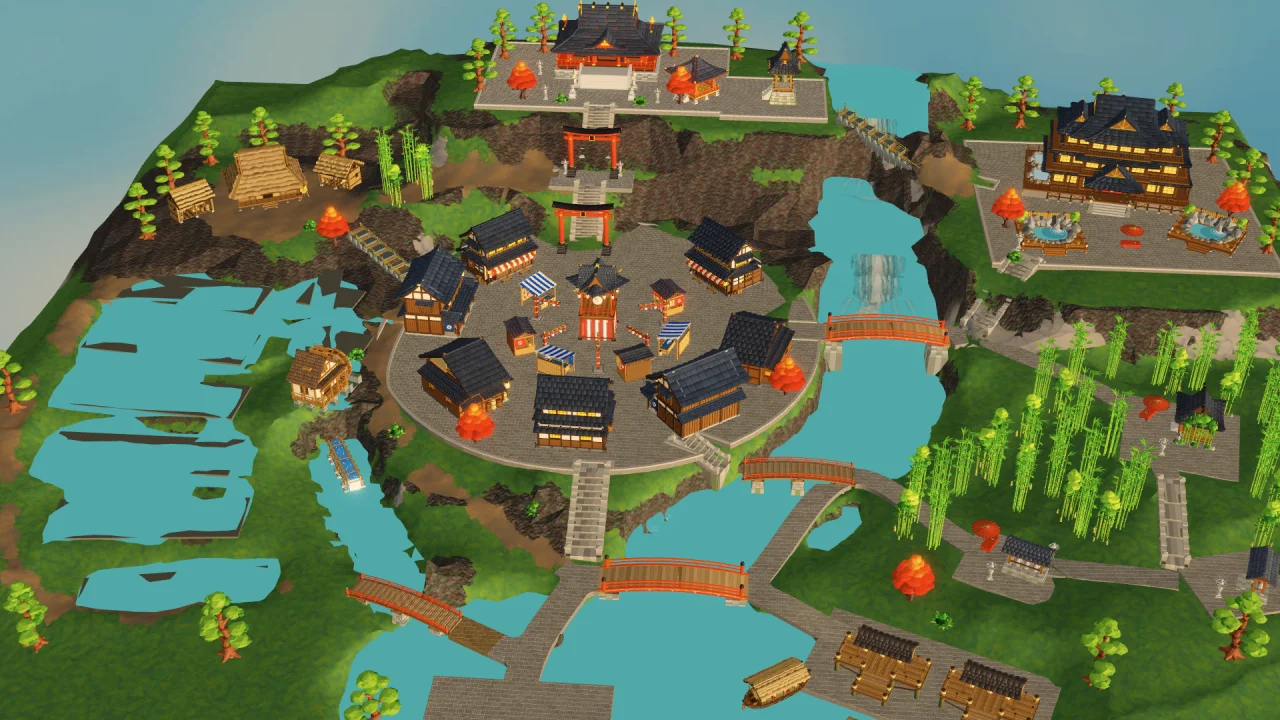
Terrain & structures
Generate connected terrain, stairs, bridges, buildings, and props together from one natural-language prompt.
Live Luau scripting
Pair generated maps with objectives, collectibles, UI counters, and game loops directly inside Roblox Studio.
Map mode (20 cr)
Build live inside Roblox Studio with the desktop app, or generate standalone full-map GLBs via World API mode "map".
Try this prompt.
Build a festival exploration level with a spawn at the river dock and a shrine at the top of the hill. Give players two ways to reach the shrine. Use the plaza as a landmark and keep one route visible from spawn.
- 01
Block out the routes
Give each route a start, a destination, and a landmark players can see. Decide where bridges or stairs connect different elevations.
- 02
Playtest the level
Walk from spawn to the goal in Studio Play mode. Check for blocked crossings, unclear turns, and jumps that are too far.
- 03
Add the gameplay
Once the layout works, ask Bakable to script an objective such as collecting festival charms. Test the objective and the return route together.
Common questions.
Can I playtest generated levels immediately in Roblox Studio?
Yes. Bakable builds directly into your open Roblox Studio place so you can enter Play mode immediately, walk the routes at avatar speed, and refine the map through chat.
Does Bakable also write Luau scripts for a generated level?
Yes. Inside Roblox Studio, Bakable can script collectibles, leaderstats, UI counters, doors, and gameplay loops in the same session.
Can I export a generated map as a 3D file?
Yes. Using Bakable Studio in your browser or the World API (mode: "map"), you can generate and download full playable maps as standard glTF 2.0 (.glb) files.