 bakable
AI 3D asset & prop pack generator for games.
Generate a single prop, a character model, or a set of matching game assets. Place assets in Roblox Studio or use Bakable’s World API to generate individual GLB models.
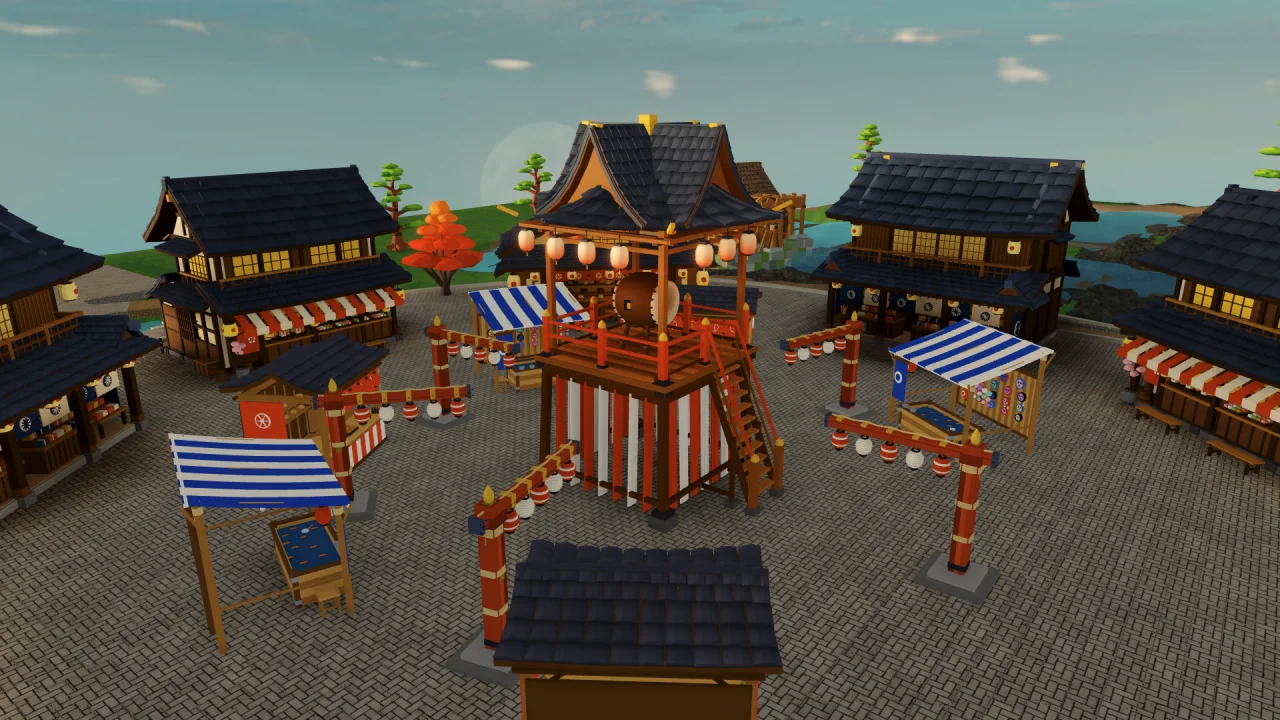
Low-poly & voxel
Create stylized low-poly or voxel props, furniture, weapons, and character models ready for games.
5 credits per model
Generate single props or characters in Bakable Studio or programmatically through POST /v1/text-to-3d.
Matched prop packs
Build themed asset sets — stalls, lanterns, bridges, foliage, and shops — that share consistent materials and scale.
Try this prompt.
Make a low-poly festival prop pack with a striped food stall, a wooden lantern pole, and a stone lantern. Use the same warm wood and paper materials across the set. Size each prop for a Roblox avatar.
- 01
Specify the set
Name each asset, describe the shared style, and give a size reference such as an avatar, doorway, or existing prop.
- 02
Check the models in context
Place the props next to each other in Studio. Check scale, silhouette, and collision where players pass through.
- 03
Reuse the assets
Keep the individual models in your place for later scenes. For a standalone GLB, use Model mode in the World API.
Common questions.
What file format do Bakable 3D assets export in?
Bakable Studio and the World API output standard binary glTF 2.0 (.glb) files, while the Bakable desktop app for Windows and macOS places models directly into your open Roblox Studio place.
Can I choose between low-poly and voxel styles?
Yes. Bakable Studio supports both low-poly and voxel geometry styles across multiple color and lighting moods.
How much does it cost to generate a single 3D model via the API?
In the Bakable World API, single-asset generation (mode: "model") uses 5 credits per job, compared to 15 credits for a diorama and 20 credits for a furnished interior or playable map.